

Table of Contents
- What Makes Smart Home Essentials Worth Buying in 2026
- Smart Security Systems and Video Doorbells
- Smart Thermostats and Climate Control
- Best Smart Home Hubs for Complete Ecosystem Control
- How to Set Up a Smart Home for Beginners
- Smart Home Security Standards and Data Protection
- Interoperability, Long-Term Costs, and Retrofitting Considerations
- Conclusion
Last Updated: August 16, 2026
What Makes Smart Home Essentials Worth Buying in 2026
Smart home essentials have moved beyond novelty gadgets into genuine productivity tools. The best devices solve real problems: they save time on repetitive tasks, reduce energy waste, or provide security peace of mind.
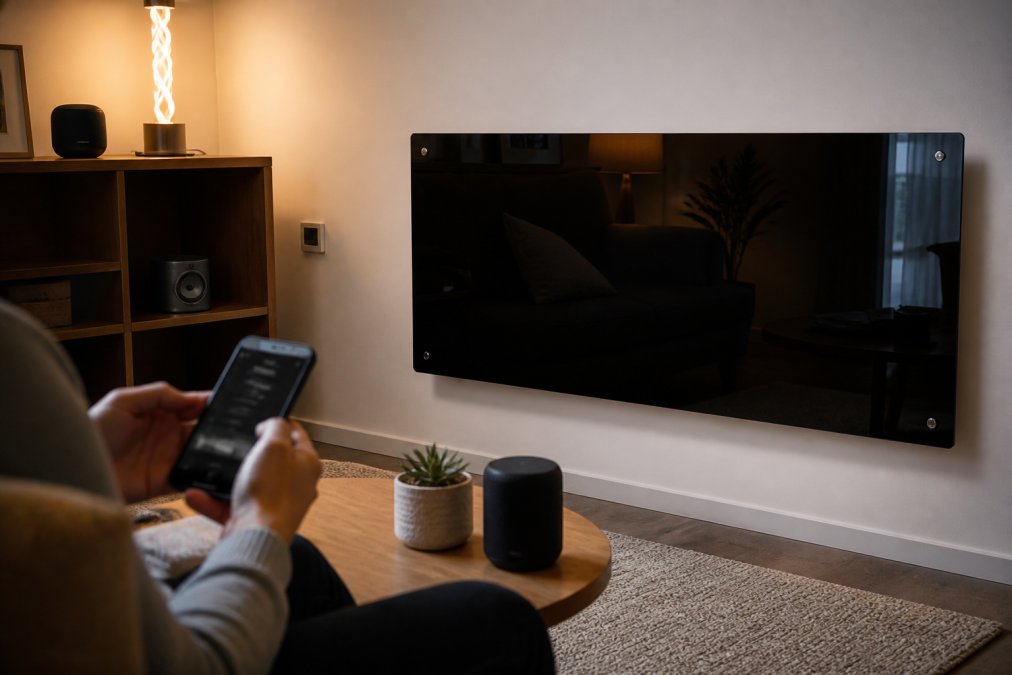
The smart home ecosystem has matured significantly. Interoperability has improved, setup is simpler, and prices have dropped. Matter compatibility is now standard rather than a luxury feature, and encryption standards have tightened across the board. This means your devices will work together reliably and your data stays protected.
This guide covers the smart home essentials that matter in 2026: security systems, climate control, smart hubs, and the infrastructure that ties it all together. We'll address interoperability, long-term costs, retrofitting older homes, and data security protocols.
Smart Security Systems and Video Doorbells
A reliable security camera is the foundation of any smart home. The Blink Outdoor 3rd Gen Add-On Home Security Camera delivers 1080p HD video, motion detection, and night vision without overcomplicating things.

The standout feature is battery life. Two AA lithium batteries keep this camera running for roughly two years before replacement. Compare that to wired systems requiring installation or monthly charging routines, and the convenience becomes obvious.
Setup takes under ten minutes. The camera pairs with your existing Blink Sync Module, and motion alerts hit your phone instantly. The weatherproof design handles rain, direct sun, and temperature swings. At £85.53, it's competitively positioned against alternatives charging more for fewer features.
The free tier caps at 24-hour video clips; cloud storage requires a Blink subscription. For most users, that's acceptable, you're paying for reliability and simplicity. The real value is in motion detection accuracy and alert speed.
Integration with Alexa voice control adds utility. You can ask your Echo device to show the front door feed without pulling out your phone.
Smart Thermostats and Climate Control
Climate control is where smart home automation saves money. The Black Glass Panel Heater with Wifi Controls offers three heating modes: Eco Mode, Comfort Mode, and Anti-Frost Mode, letting you match heating output to actual need.

Eco Mode delivers steady warmth while prioritizing energy efficiency. Many users run this during the day, then switch to Comfort Mode in the evening. Comfort Mode provides rapid heating up to 100m². At £105.59, this represents a genuine upgrade from traditional panel heaters offering no remote control or scheduling.
The app control changes how you interact with heating. Adjust temperature from your phone before arriving home, check room conditions, and set schedules adapting to your routine. Anti-Frost Mode activates automatically below 5°C, protecting your home during extended cold periods, valuable if you own a second property or travel frequently.
Installation is flexible: wall-mounted for minimalist aesthetics or freestanding with anti-tip feet for rental properties. Everything needed comes in the box.
Heating accounts for roughly 40% of household energy consumption. Reducing that by 15% through smarter scheduling translates to meaningful savings on utility bills over a year.
Best Smart Home Hubs for Complete Ecosystem Control
A smart home hub consolidates control and enables automation routines that work. Without one, you're managing individual apps for each gadget.
The best hubs use Matter protocol, now the industry standard for interoperability. Matter compatibility means devices from different manufacturers communicate reliably, solving the historical problem where buying Brand A meant needing all devices from Brand A.
Look for hubs offering local processing rather than cloud-only control. Local processing means automations run even if your internet connection drops. This matters for security and climate systems functioning regardless of network outages.
Wireless standards matter. Bluetooth, Wi-Fi 6, and Thread support provide redundant connectivity paths. If one protocol gets congested or fails, devices route through alternatives automatically.
Setup complexity varies significantly. For beginners, simpler is better. You can add complexity later as your ecosystem grows.
Voice assistant integration is increasingly standard. Alexa, Google Assistant, and Apple Siri all work with modern hubs. Choose based on your existing ecosystem.
How to Set Up a Smart Home for Beginners
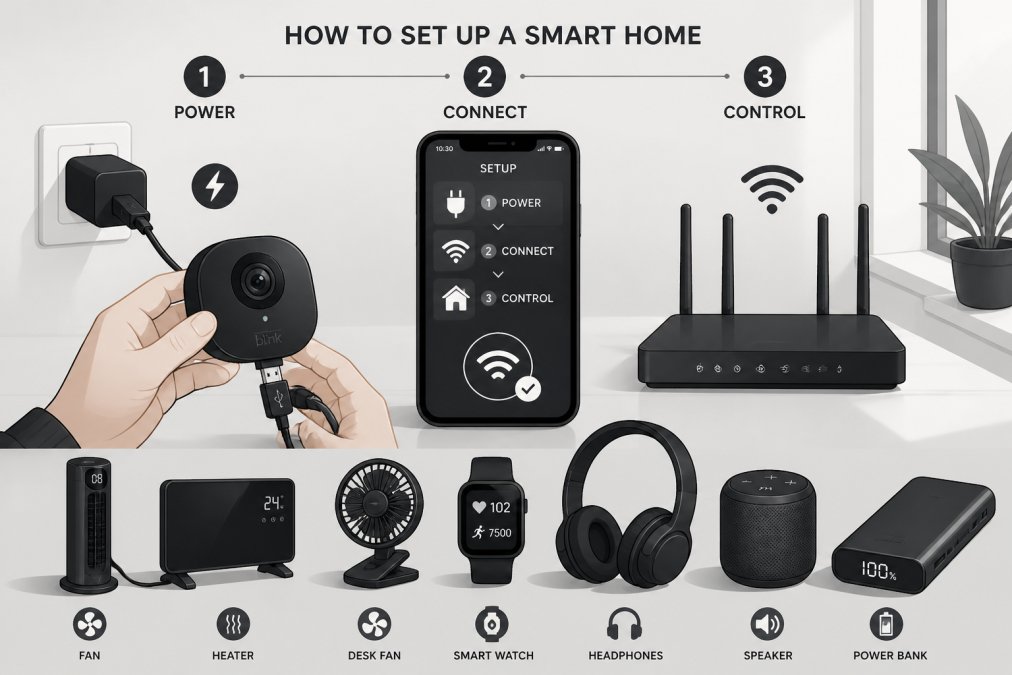
Starting a smart home doesn't require technical expertise. Most devices now guide you through setup with clear app instructions.
Begin with your network foundation. Your Wi-Fi router is critical infrastructure. Modern smart devices typically require 2.4GHz connectivity. Ensure your router broadcasts a strong signal in areas where you'll place devices. Dead zones cause connection dropouts and failed automations.
Next, choose your smart hub and install it centrally in your home, not in a corner where signal strength degrades.
Install devices one at a time. Add a camera, confirm it works, then add the next device. This isolates problems quickly.
Follow the manufacturer's app instructions precisely. Most devices pair within minutes once you follow the sequence.
Name your devices descriptively. "Front Door Camera" beats "Camera 1". Good naming makes automation routines readable and prevents mistakes with voice control.
Test basic functionality before adding automations. Confirm the camera records, the heater responds to app commands, and the hub connects reliably.
Apply firmware updates immediately after setup. Manufacturers release updates addressing security vulnerabilities and compatibility issues.
Start with simple automations like "Turn on lights when motion is detected" or "Heat to 20°C at 6 AM on weekdays." Once comfortable, layer in complexity.
| Setup Phase | Duration | Key Action |
|---|---|---|
| Network preparation | 15 minutes | Verify Wi-Fi coverage in target areas |
| Hub installation | 10 minutes | Position centrally, power on |
| First device setup | 15 minutes | Follow app instructions precisely |
| Firmware updates | 10 minutes | Check for and install updates |
| Basic testing | 15 minutes | Confirm each device functions independently |
| Automation creation | 20 minutes | Build simple routines first |
Smart Home Security Standards and Data Protection
Your smart home devices collect information about daily patterns, when you're home, temperature preferences, and security footage. This data requires protection.
Modern devices use TLS 1.2 or higher for data transmission, encrypting information traveling from your device to cloud servers. This prevents interception on your network or the internet backbone.
Authentication matters as much as encryption. Biometric authentication provides stronger security than PIN codes.
Look for devices supporting local processing. Data that never leaves your home network can't be intercepted externally. Some manufacturers offer local-only modes where automations run on your hub without cloud connectivity.
Firmware update frequency is a practical security indicator. Manufacturers releasing regular updates are actively patching vulnerabilities. Devices receiving quarterly or more frequent updates indicate ongoing security attention.
Check manufacturer privacy policies before purchasing. The UK Information Commissioner's Office guidance on smart home privacy provides clear standards for acceptable data collection. Your devices should comply with these standards.
Enable two-factor authentication on your hub account. This prevents unauthorized access even if someone obtains your password.
Network segmentation is valuable practice. Isolate your smart home devices on a separate Wi-Fi network from your computers and phones. This limits damage if a device is compromised.
Interoperability, Long-Term Costs, and Retrofitting Considerations
Interoperability failures are the hidden cost of smart homes. You buy a device that doesn't work with your hub, or an update breaks compatibility with existing devices.
Matter protocol has dramatically improved this situation. Devices certified for Matter work reliably across different manufacturer ecosystems. When evaluating devices, Matter compatibility should be a primary criterion.
Legacy devices without Matter support remain problematic. Plan for eventual replacement of non-Matter devices as your ecosystem matures.
Retrofitting older homes presents specific challenges. Wired installations require running cables through walls. Wireless alternatives eliminate this but introduce connectivity concerns in homes with thick walls or poor Wi-Fi coverage. Test coverage before committing to wireless devices.
Long-term costs often surprise users. Initial device purchases are obvious, but subscription services add up. Cloud storage for camera footage, premium hub features, and subscription-based automations create ongoing expenses.
Battery-powered devices require regular replacement. The Blink camera's two-year battery life is exceptional; many devices need batteries annually. Factor this into planning.
Professional installation costs are worth considering for complex setups. Get quotes before assuming DIY installation is necessary.
Retrofitting a rental property has different constraints than a permanent home. Wireless devices that mount without drilling and portable hubs become more valuable.
Scalability matters long-term. Start with a hub that can support growth. Check manufacturer specifications for device capacity before settling on a specific hub.
Conclusion
The smart home essentials that matter in 2026 are the ones solving genuine problems: security, climate control, and reliable automation. Skip trendy gadgets and focus on devices with proven reliability, Matter compatibility, and strong encryption standards.
The best smart home setups start simple. Choose a reliable hub, add security and climate control devices, then expand gradually as you understand what automation improves your daily life. The Black Glass Panel Heater with Wifi Controls and the Blink Outdoor 3rd Gen camera provide exactly this foundation, proven devices that work reliably and integrate seamlessly with modern ecosystems.
Data security and interoperability are non-negotiable. Prioritize devices supporting Matter protocol and modern encryption standards. These technical details prevent expensive incompatibility problems and protect your privacy as your ecosystem grows. Get started with Gadgetry's curated selection of smart home essentials and build a system that genuinely simplifies your life.
Frequently Asked Questions
What are the essential smart home devices for beginners?
Start with a smart hub (like Amazon Echo), a smart thermostat for climate control, and a security camera. These three form the foundation of any smart home ecosystem. Add smart lighting and plugs next as your comfort level grows. The Black Glass Panel Heater with WiFi controls (£105.59) offers an excellent entry point for temperature management, while the Blink Outdoor 3rd Gen camera (£85.53) provides reliable security monitoring. Most beginners find that starting small and expanding gradually prevents overwhelm and compatibility issues.
How do I ensure my smart home devices are secure and GDPR compliant?
Choose devices from manufacturers with transparent privacy policies and encryption protocols. Verify they comply with UK data protection regulations and offer regular firmware updates. Enable two-factor authentication on all smart home apps, use strong passwords, and keep your WiFi network secure with WPA3 encryption where possible. Check manufacturer websites for their security certifications and data handling practices. Avoid devices with unclear data storage locations or those that share information with third parties without explicit consent. Review privacy settings in each device's app before connecting to your home network.
Are smart home devices worth the investment in 2026?
Yes, if you prioritise convenience, energy efficiency, or security. Modern smart home essentials reduce energy consumption through automated climate control and real-time monitoring. Security cameras provide peace of mind and can lower insurance premiums. Smart thermostats typically save 10-15% on heating costs. However, the value depends on your specific needs. If you're away frequently, security systems justify the cost. If you value convenience, automation routines save time daily. Consider long-term maintenance costs alongside initial purchase prices when evaluating overall value.
How do I integrate different smart home brands into one system?
Use a central smart hub that supports multiple protocols like WiFi, Bluetooth, and Zigbee. Amazon Alexa and Google Home ecosystems offer broad compatibility with third-party devices. Check each device's specifications for protocol support before purchasing. Matter-compatible devices provide better interoperability across brands. If devices don't connect directly, automation apps like IFTTT can create workarounds. Start by choosing a primary ecosystem (Alexa or Google), then select compatible devices from that ecosystem. Avoid mixing incompatible protocols, as this creates connectivity gaps and latency issues that frustrate users.
This article was written using GrandRanker

