

Table of Contents
- What to Look for in a Smart Home Hub in 2026
- Matter Smart Home Hub UK: Why the Standard Matters in 2026
-
The Best Smart Home Hubs Compared
- 1. Homey Pro - Best for Power Users
- 2. Hubitat Elevation C-8 Pro - Best for Local Control
- 3. Aeotec Smart Home Hub - Best for SmartThings Users
- 4. Apple HomePod Mini - Best for Apple Households
- 5. Google Nest Hub Max - Best Smart Display Hub
- 6. Amazon Echo Show 10 (3rd Gen) - Best for Alexa Ecosystems
- 7. Aqara Hub M2 - Best Budget Entry Point
- 8. IKEA DIRIGERA - Best for IKEA Smart Home Users
- Smart Home Hub Local vs Cloud Control: What Actually Differs
- How to Set Up a Smart Home Hub: A Practical Walkthrough
- Which Smart Home Hub Should You Choose?
- Conclusion
Last Updated: August 8, 2026
Choosing the wrong smart home hub is an expensive mistake. At Gadgetry, we've tested the 2026 market closely. Matter has matured into a genuine interoperability layer, Thread mesh networking is now standard, and local processing has shifted from luxury to mainstream expectation. Below, we review eight of the best options for UK buyers, covering protocol support to offline reliability.
A smart home hub is a centralised controller that connects devices from different manufacturers into a single system, replacing separate apps with one interface, one set of automations, and one point of control.
What to Look for in a Smart Home Hub in 2026
The best hub matches your existing devices, preferred voice assistant, and tolerance for configuration complexity. Three criteria matter most: protocol support, ecosystem fit, and whether automations run locally or in the cloud.
Protocol Support: Zigbee, Z-Wave, Thread and Beyond
Protocol support determines which physical devices your hub can control. The main wireless standards in 2026 are:
- Zigbee 3.0: Mature, low-power mesh networking with broad device compatibility
- Z-Wave: Reliable mesh protocol with strong interference resistance
- Thread: IP-based mesh networking underpinning Matter's local communication layer
- Matter: Cross-platform interoperability standard enabling devices to work across Apple Home, Google Home, Amazon Alexa, and SmartThings without lock-in
- Wi-Fi and Bluetooth: Useful for direct pairing but less suited to large mesh networks
Prioritise Zigbee and Thread as a minimum; Z-Wave support is a significant bonus.
Voice Assistant Integration and Ecosystem Fit
Voice control is the primary interface for most households. The three dominant UK voice assistants are Amazon Alexa, Google Assistant, and Apple's Siri via HomeKit. Your hub should integrate natively with the assistant you already use. Don't fight your existing ecosystem, work with it.
Matter Smart Home Hub UK: Why the Standard Matters in 2026
Matter is the smart home interoperability standard developed by the Connectivity Standards Alliance. For UK buyers in 2026, it's the most important specification to check before purchasing any hub.
A Matter smart home hub should function as both a Matter controller and ideally a Thread Border Router, bridging Thread mesh networks to your IP network. Without Thread Border Router capability, your hub cannot fully participate in Thread mesh networking, limiting performance and offline reliability.
According to the Connectivity Standards Alliance's Matter specification overview, Matter runs over Wi-Fi, Thread, and Ethernet, enabling a single certified device to communicate with any Matter controller regardless of brand. Matter 1.3 and beyond, which most 2026 hubs support, added energy monitoring, camera integration, and more sensor types. Cross-platform compatibility through Matter means you can buy a Philips Hue bulb, Tado thermostat, and Aqara sensor and manage all three from a single dashboard.
The Best Smart Home Hubs Compared
Eight hubs stand out for UK buyers in 2026, covering every budget and use case.
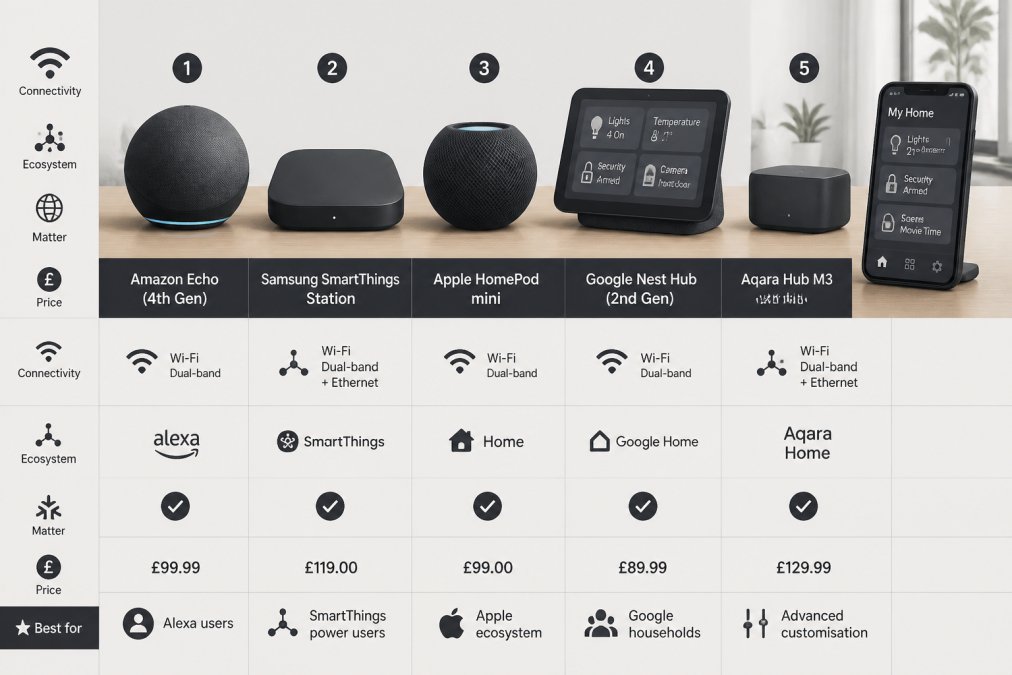
| Hub | Best For | Key Protocols | Local Processing | Approx. Price (UK) |
|---|---|---|---|---|
| Homey Pro | Power users | Zigbee, Z-Wave, Wi-Fi, BT, IR, RF | Yes | £449 |
| Hubitat C-8 Pro | Local control purists | Matter 1.5, Z-Wave 800, Zigbee 3.0 | Yes | ~£195 |
| Aeotec Smart Home Hub | SmartThings users | Zigbee, Thread, Matter | Partial | ~£99 |
| Apple HomePod Mini | Apple households | Thread, Matter (HomeKit) | Partial | £89.99 |
| Google Nest Hub Max | Google ecosystem | Wi-Fi, Matter | Cloud-heavy | £164-£390 |
| Amazon Echo Show 10 | Alexa ecosystems | Zigbee, Wi-Fi | Cloud-heavy | £249.99 |
| Aqara Hub M2 | Budget entry | Zigbee 3.0, IR | Partial | £37-£66 |
| IKEA DIRIGERA | IKEA smart home | Thread, Matter | Partial | £55 |
1. Homey Pro - Best for Power Users
Homey Pro is the most capable smart home hub available to UK buyers in 2026. It supports Zigbee, Z-Wave, Wi-Fi, Bluetooth, infrared, and 433MHz/868MHz RF, controlling everything from modern Thread-enabled sensors to legacy RF-controlled blinds. Compatibility spans over 50,000 devices from more than 1,000 brands. Automations run locally via Homey's Flow technology, keeping latency minimal and ensuring routines fire when broadband drops.
At £449, this is a genuine commitment. Matter support is currently in beta.
Best for: Households with diverse, multi-protocol device collections.
2. Hubitat Elevation C-8 Pro - Best for Local Control
Offline reliability is Hubitat's strength. Every automation runs locally on the device itself, no cloud dependency, no latency spikes. The C-8 Pro supports Matter 1.5, Z-Wave 800 Long Range, Zigbee 3.0, Bluetooth, and LAN connections. External antennas improve wireless range. There are no subscription fees for core functionality.
Best for: Privacy-conscious users and automation enthusiasts refusing cloud dependency.
3. Aeotec Smart Home Hub - Best for SmartThings Users
The Aeotec Smart Home Hub runs on Samsung SmartThings, so existing SmartThings users get immediate, familiar device pairing and routine configuration. It supports Zigbee, Thread, and Matter, enabling broad compatibility. Integration with Alexa and Google Assistant is straightforward.
Some advanced automations rely on cloud connectivity, introducing latency and Samsung server dependency.
Best for: Existing SmartThings users expanding their setup.
4. Apple HomePod Mini - Best for Apple Households
The HomePod Mini costs £89.99 and functions as both a smart speaker and HomeKit hub with Thread Border Router capability. For iPhone and iPad households, integration is seamless through the Home app. Its Matter controller support manages Matter-certified devices from other brands. Privacy is a genuine strength; Apple's on-device processing keeps more data local than cloud-heavy competitors.
Best for: iPhone-first households wanting a no-fuss hub with strong privacy defaults.
5. Google Nest Hub Max - Best Smart Display Hub
The Google Nest Hub Max brings a 25.4 cm HD touchscreen to smart home control. Visual feedback for routines, device status, and camera feeds makes it more intuitive than voice-only hubs. Google Assistant's natural language processing handles complex queries well. The built-in camera doubles as a Nest Cam.
At £164 to £390, automations are predominantly cloud-based.
Best for: Google ecosystem households wanting visual control and entertainment in one device.
6. Amazon Echo Show 10 (3rd Gen) - Best for Alexa Ecosystems
The Echo Show 10's motorised, rotating 25.6 cm HD screen tracks movement during video calls. For Alexa users, it acts as a capable hub with a built-in Zigbee radio. At £249.99, the 13-megapixel camera provides solid video call quality and security monitoring.
Best for: Alexa-committed households wanting a smart display with genuine hub functionality.
7. Aqara Hub M2 - Best Budget Entry Point
The Aqara Hub M2 is the most practical entry point for UK buyers testing smart home automation without large upfront commitment. Priced between £37.49 and £65.99, it supports Zigbee 3.0 and infrared control. It connects up to 128 Aqara devices and works with Apple HomeKit, Google Home, Amazon Alexa, and Samsung SmartThings.
Best for: Budget-conscious buyers starting with Aqara devices.
8. IKEA DIRIGERA - Best for IKEA Smart Home Users
IKEA's DIRIGERA hub costs £55 and connects both newer TRÅDFRI and older IKEA smart devices under a single interface. It functions as a Matter controller and Thread Border Router. Setup via QR code is straightforward. Compatibility with Apple Home, Google Home, and Alexa means it slots into most existing setups without friction.
Best for: IKEA smart home users wanting an affordable, Matter-compatible hub.
Smart Home Hub Local vs Cloud Control: What Actually Differs
Local control means automations and device communication are processed on the hub itself, with no internet connection required. When broadband drops, lights still respond to motion sensors, locks still operate on schedule, and routines still fire. Latency is typically milliseconds rather than seconds.
Cloud control routes commands through manufacturer servers, enabling remote access and polished mobile applications, but introduces two failure points: your internet connection and the manufacturer's server infrastructure.
According to the ICO's guidance on smart home device data, cloud-connected devices transmit data to third-party servers, raising data privacy considerations that local-processing hubs avoid by design.
Homey Pro and Hubitat C-8 Pro process automations locally. Apple HomePod Mini and Google Nest Hub Max handle some functions locally but rely on cloud for others. Amazon Echo Show 10 and most Alexa devices are predominantly cloud-dependent.
How to Set Up a Smart Home Hub: A Practical Walkthrough
Setting up a smart home hub follows a consistent process regardless of which device you choose.
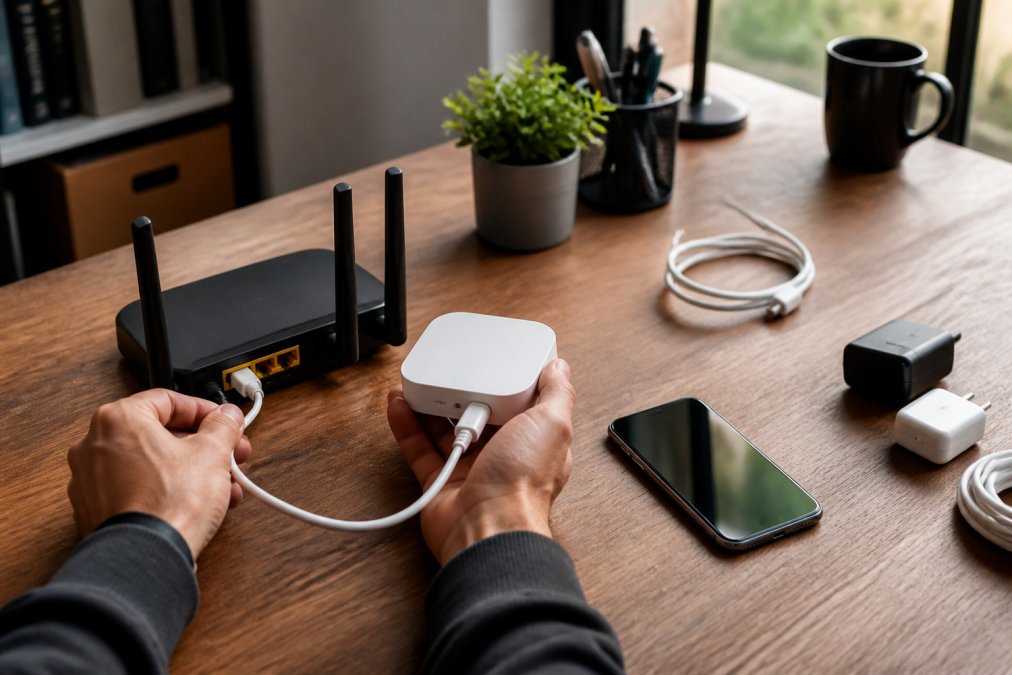
Step 1: Position the hub centrally [Time: 5 minutes] Place the hub as close to the centre of your home as practical. A central hallway or living room is usually optimal.
Step 2: Connect via Ethernet where possible [Time: 2 minutes] A wired connection eliminates one troubleshooting variable.
Step 3: Install the mobile application and create an account [Time: 10 minutes] Download the manufacturer's app and complete account setup before powering the hub.
Step 4: Pair devices one room at a time [Time: 20-40 minutes] Add devices by room rather than all at once. This makes pairing failures easier to identify.
Step 5: Configure baseline routines before adding complexity [Time: 15-30 minutes] Start with simple automations: lights on at sunset, heating schedule, motion-triggered scenes. Test each one before building complex conditional logic.
Step 6: Enable firmware updates [Time: 5 minutes] Enable automatic updates or check manually immediately after setup. Firmware updates often resolve device pairing issues.
Common Setup Mistakes to Avoid
The most common mistake is pairing every device before testing any automations, creating a large untested system where faults are hard to isolate.
A second error is ignoring mesh network density. If mains-powered devices are sparse, signal can fail to reach distant sensors. Add a few mains-powered plugs or bulbs to strengthen the mesh before adding battery sensors.
Hub migration requires re-pairing all Zigbee and Z-Wave devices to the new hub. There is no migration tool transferring device bindings between different platforms. For Z-Wave devices, refer to the Z-Wave Alliance's device compatibility database to confirm regional frequency compatibility before purchasing from non-UK sources.
Which Smart Home Hub Should You Choose?
The right hub depends on three factors: your existing ecosystem, technical appetite, and priority between convenience and reliability.
Choose Homey Pro if you have mixed-protocol devices and want the most capable automation engine available.
Choose Hubitat C-8 Pro if offline reliability and data privacy are non-negotiable.
Choose Aeotec Smart Home Hub if you're already using SmartThings and want to expand without rebuilding.
Choose Apple HomePod Mini if your household runs Apple devices and you want a hub that just works.
Choose Google Nest Hub Max if you want visual control and are committed to the Google ecosystem.
Choose Amazon Echo Show 10 if Alexa is your primary voice assistant and you want a smart display with built-in Zigbee capability.
Choose Aqara Hub M2 if you're starting out with a limited budget and predominantly Aqara devices.
Choose IKEA DIRIGERA if your smart home is built around IKEA products and you want an affordable, Matter-compatible hub.
When migrating from legacy platforms, expect to re-pair all Zigbee and Z-Wave devices regardless of which new hub you choose.
Building a smart home that works long-term requires getting the hub decision right from the start. The hubs above represent the best options available to UK buyers in 2026, covering every budget and technical requirement. For curated recommendations and fast UK delivery, Gadgetry stocks a handpicked selection of smart home essentials, chosen for quality, interoperability, and genuine long-term value. Browse the Gadgetry smart home range and find the hub that fits your setup.
According to Which?'s smart home buying guide, compatibility and ease of setup consistently rank as top priorities for UK smart home buyers, ahead of price. Choose accordingly.
Frequently Asked Questions
Do I need a dedicated smart home hub if I already have Alexa or Google Home?
Smart speakers like Echo and Nest devices handle basic voice control well, but they rely almost entirely on cloud processing, which means automations fail when your internet drops. A dedicated smart home hub adds local control, broader protocol support (Zigbee, Z-Wave, Thread), and far more complex automation logic. If you only control a handful of lights, a smart speaker may be enough. For a growing setup with sensors, locks, and multi-step routines, a dedicated hub is worth the investment.
What is the best Zigbee and Z-Wave hub for UK homes in 2026?
The Hubitat Elevation C-8 Pro and Homey Pro are the strongest choices for UK homes needing both Zigbee and Z-Wave support. Both run automations locally, so response times stay low and routines keep working offline. The Aeotec Smart Home Hub (SmartThings platform) is also a solid option if you prefer a more consumer-friendly interface. For budget buyers, the Aqara Hub M2 covers Zigbee 3.0 at a much lower price point, though it does not support Z-Wave.
How does the Matter standard change smart home hubs in 2026?
Matter removes the old problem of devices only working within one brand's ecosystem. A Matter-certified bulb can be added to Apple Home, Google Home, or Amazon Alexa without manufacturer workarounds. For hub buyers, this means you should prioritise hubs that act as both a Matter controller and a Thread Border Router, since Thread is the low-power mesh protocol Matter relies on for devices like sensors and locks. The Apple HomePod Mini, IKEA DIRIGERA, and Aeotec hub all fulfil this role.
Which smart home hub offers the best privacy and local control?
The Hubitat Elevation C-8 Pro and Homey Pro both process automations entirely on-device, meaning your routine data never leaves your home network. Neither requires a subscription for core features. Hubitat is particularly transparent about its local-first architecture. If privacy is your main concern, avoid hubs that depend on manufacturer cloud servers for automation execution, as a server outage or company closure can disable your entire setup.
Can I migrate from one smart home hub to another without starting from scratch?
Full migration is rarely seamless, but some platforms make it easier than others. Hubs that support Matter simplify device re-pairing significantly, since Matter devices can be added to a new controller via QR code without a factory reset. Zigbee and Z-Wave devices typically need to be excluded from the old hub and re-paired to the new one. Documenting your automations before switching saves the most time. Homey Pro and Hubitat both allow automation export, which reduces the rebuild effort considerably.
This article was written using GrandRanker

