

Table of Contents
- Understanding Smart Home Communication Protocols Explained
- How to Verify Smart Home Device Compatibility Before Purchase
- Matter Smart Home Standard Benefits and Compatibility
- The Role of Hubs and Cross-Platform Bridge Solutions
- Troubleshooting Smart Home Connectivity Issues
- Privacy and Data Sharing Implications Across Ecosystems
- Conclusion
Last Updated: August 12, 2026
Understanding Smart Home Communication Protocols Explained
Smart home devices communicate through standardised wireless protocols that determine compatibility. The most common protocols include Wi-Fi, Zigbee, Z-Wave, Thread, and Bluetooth Low Energy (BLE), each with distinct advantages and limitations.

Wi-Fi offers broad compatibility and high bandwidth but consumes more power and can create network congestion. Zigbee and Z-Wave operate on low-power mesh networks, allowing devices to relay signals through each other whilst consuming minimal battery power. Thread, a newer protocol backed by major manufacturers, provides improved security and responsiveness through IPv6-based mesh networking. Bluetooth Low Energy suits wearables and portable devices but typically requires a hub for broader ecosystem integration.
The critical insight most buyers miss is that protocol compatibility alone doesn't guarantee seamless integration. Devices must also support the same standardisation framework, such as Matter, Amazon Alexa, Google Home, or Apple HomeKit, which sits above the communication protocol layer. A Zigbee light bulb and a Z-Wave switch might both connect to your network, but they won't control each other without a hub that understands both protocols.
How to Verify Smart Home Device Compatibility Before Purchase
Verifying smart home device compatibility requires a systematic approach across four distinct steps. This process eliminates guesswork and prevents costly purchases of devices that won't integrate with your existing setup.
Step 1: Identify Your Existing Ecosystem
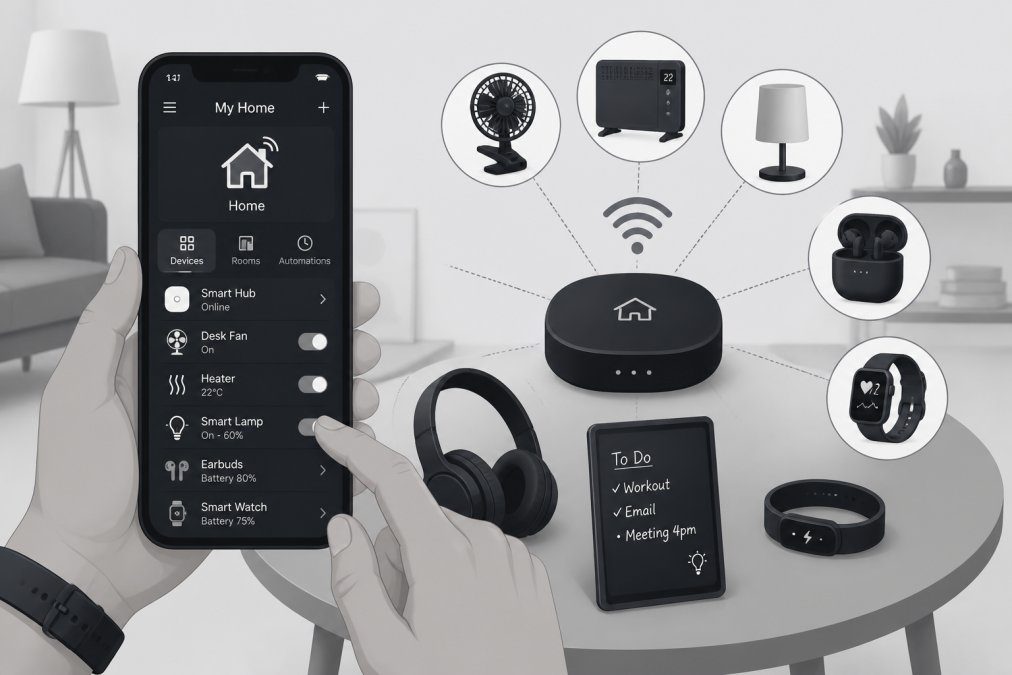
Document every connected device you currently own and the ecosystem it uses. Open the control app on your smartphone, Alexa, Google Home, Apple Home, or a proprietary manufacturer app, and list each device by name, type, and ecosystem. Note the hub or gateway devices you're using, as many smart home ecosystems require a central hub to coordinate device communication.
Check your router settings to identify which wireless protocols your network supports. Most modern routers support Wi-Fi on both 2.4GHz and 5GHz bands, but older models may lack dual-band capability. Some smart devices perform better on 2.4GHz whilst others prefer 5GHz.
Step 2: Check Device Certification and Standards
Look for certification badges on product listings and packaging. Matter-certified devices display the Matter logo, indicating they meet interoperability standards established by the Connectivity Standards Alliance. This certification guarantees the device can work across multiple ecosystems.
Research the device's technical specifications on the manufacturer's website. The specifications section lists the wireless protocols supported (Wi-Fi, Zigbee, Z-Wave, Thread, BLE), the ecosystems it integrates with (Alexa, Google Home, HomeKit, Samsung SmartThings), and any hub requirements. Cross-reference the device against your ecosystem choice to ensure compatibility.
Check for firmware update requirements. Some devices require a firmware update during initial setup to unlock certain features or compatibility. Verify that the manufacturer still provides firmware updates for the device model you're considering.
Step 3: Use Compatibility Databases and Resources
The official ecosystem websites, Amazon's Alexa device directory, Google's Home compatible devices list, and Apple's HomeKit accessory database, list all certified devices for their respective platforms. These databases are authoritative because manufacturers must meet strict certification requirements to appear on them.
Manufacturer compatibility pages provide detailed integration information. Visit the device maker's website and search for "compatibility" or "works with" sections.
Online smart home communities and forums provide real-world compatibility feedback. Reddit communities like r/smarthome and r/HomeKit contain discussions from users who've tested devices in various configurations.
Gadgetry curates smart home products specifically for compatibility and integration, ensuring that recommended devices work seamlessly with popular ecosystems.
Step 4: Verify Hub and Gateway Requirements
Determine whether the device requires a dedicated hub. Some devices connect directly to your Wi-Fi network and require no hub, whilst others need a Zigbee, Z-Wave, or Thread hub to function. If a device requires a hub you don't own, factor the hub cost into your purchasing decision.
Verify that your existing hub supports the device's protocol. A Zigbee hub won't communicate with Z-Wave devices. Check whether the hub has sufficient capacity, most mesh network hubs manage 50-200 devices depending on the model.
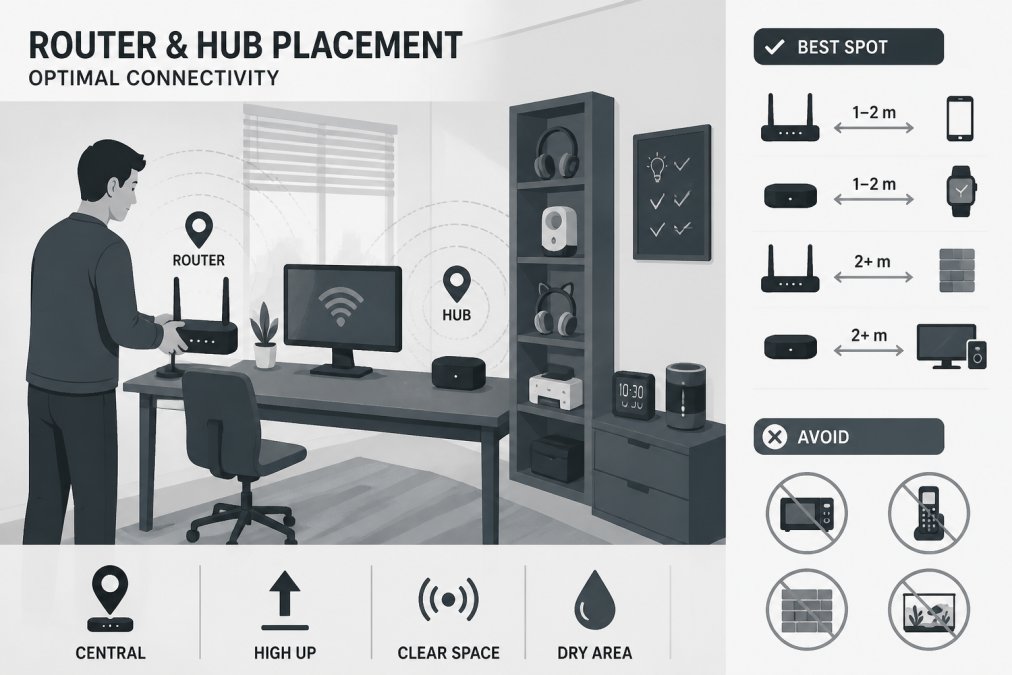
Confirm hub placement compatibility. Hubs must be positioned centrally within your home to maximise wireless range.
| Step | Action | Verification Method |
|---|---|---|
| 1 | List existing devices and ecosystems | Open control apps and document each device |
| 2 | Check device specifications | Review manufacturer website and certification badges |
| 3 | Cross-reference compatibility | Use official ecosystem databases and real-world feedback |
| 4 | Confirm hub requirements | Verify hub type, capacity, and placement needs |
Matter Smart Home Standard Benefits and Compatibility
Matter represents a significant shift toward interoperability in the smart home industry. This open-source protocol, developed collaboratively by Amazon, Apple, Google, Samsung, and other major manufacturers, creates a common language that devices from different brands can use to communicate directly.
The primary benefit of Matter certification is that it eliminates ecosystem lock-in. A Matter-certified light bulb works with Alexa, Google Home, Apple HomeKit, and Samsung SmartThings simultaneously, without requiring separate hubs or bridges for each ecosystem.
Matter devices use Thread as their preferred wireless protocol, which operates on a mesh network standard. Thread offers lower latency than Zigbee and Z-Wave whilst consuming less power than Wi-Fi. Devices equipped with Thread radios can relay signals through each other, extending network range and improving reliability.
However, Matter adoption is still in its early stages. Not all device categories have Matter-certified options available yet. Older devices in your home won't become Matter-compatible through software updates; only new devices with Matter hardware can support the protocol. If you're maintaining an existing smart home setup alongside new Matter devices, you'll likely need a Matter hub to bridge the two standards.
The Role of Hubs and Cross-Platform Bridge Solutions
Hubs serve as translators between devices using different protocols and ecosystems. Without a hub, devices using incompatible protocols cannot communicate with each other, even if they're on the same Wi-Fi network.
Different hubs support different combinations of protocols. An Amazon Echo device with Zigbee hub capability can control Zigbee devices but cannot directly control Z-Wave devices. If your smart home includes both Zigbee and Z-Wave devices, you need either two separate hubs or a hub that supports both protocols.
Cross-platform bridge solutions extend compatibility further. Home Assistant is an open-source platform that can connect Zigbee, Z-Wave, Wi-Fi, and Thread devices to a single interface, regardless of their original ecosystem. This approach offers maximum flexibility but requires more technical knowledge to set up and maintain.
The Black Glass Panel Heater with Wifi Controls from Gadgetry demonstrates hub-optional design, it connects directly to your Wi-Fi network and integrates with both Alexa and Google Home without requiring a dedicated hub. This simplicity makes it an excellent choice for users building their first smart home setup.

Gateway devices function similarly to hubs but often offer broader ecosystem integration. A gateway might support Wi-Fi, Zigbee, and Z-Wave simultaneously whilst also providing cloud-to-cloud connectivity for remote access. Consider your long-term smart home vision when choosing hubs.
Troubleshooting Smart Home Connectivity Issues
Smart home devices fail to connect for several identifiable reasons, most of which can be resolved through systematic troubleshooting.
Firmware Updates and Software Synchronisation
Firmware updates are critical for compatibility and security. Many smart home devices ship with outdated firmware that may lack support for recent ecosystem changes or contain bugs that prevent proper communication. Before troubleshooting connectivity, check whether your device requires a firmware update through its manufacturer app.
Update your hub firmware simultaneously with device firmware. Hubs often require updates to recognise and properly manage newly added devices. Synchronisation delays occur when devices and hubs aren't communicating state changes in real-time. This typically resolves itself within a few minutes as devices resynchronise.
Common Mistakes to Avoid
Placing hubs in enclosed spaces severely limits wireless range. Position hubs in central, open locations at least 1-2 metres away from other wireless devices like microwave ovens or cordless phones that operate on similar frequencies.
Overloading a single hub with too many devices causes performance degradation. Most hubs perform optimally with 20-50 devices; beyond that threshold, response times increase noticeably.
Mixing incompatible protocols without proper bridging creates dead zones. Verify that all devices in your setup either use the same protocol or are connected through a compatible hub or bridge.
Using 5GHz Wi-Fi exclusively excludes devices that only support 2.4GHz. Ensure your router broadcasts on both bands and that you're not forcing devices onto a single band through router settings.
Failing to complete the pairing process fully results in devices that appear in your app but don't respond to commands. Some devices require a final confirmation step through the manufacturer's app after being added to your ecosystem.
Privacy and Data Sharing Implications Across Ecosystems
When you add a device to a smart home ecosystem, you're granting that ecosystem's platform access to usage data. Amazon collects data about when you use Alexa devices and what you ask them. Google similarly tracks interactions with Google Home devices. Apple claims to process HomeKit data locally on your devices rather than on Apple servers.
Multi-ecosystem setups create additional privacy considerations. A device that bridges multiple ecosystems might share data with multiple cloud services. Review privacy policies for each ecosystem you use and understand what data is collected, how long it's retained, and whether it's shared with third parties.
Local control versus cloud control affects privacy and reliability. Devices that can be controlled locally expose less data to cloud services. Wi-Fi devices typically require cloud connectivity for remote access, whilst Zigbee and Z-Wave devices on a local mesh network can operate without internet.
Data security depends on firmware updates. Devices that don't receive regular firmware updates accumulate security vulnerabilities. Before purchasing, verify that the manufacturer has a history of releasing timely security updates for similar products.
Bridge and gateway devices introduce additional privacy considerations. Third-party platforms like Home Assistant collect data from all connected devices. If you self-host Home Assistant, your data remains on your own network. If you use a cloud-based bridge service, you're trusting that service's privacy practices.
Read privacy policies before committing to an ecosystem. The difference between ecosystems in data collection practices is significant. Your choice of ecosystem has lasting privacy implications for every device you subsequently add to your smart home.
Verifying smart home device compatibility requires attention to protocols, ecosystems, certification standards, and hub requirements. The systematic approach outlined above, identifying your ecosystem, checking specifications, using official compatibility databases, and confirming hub compatibility, eliminates guesswork and prevents costly incompatibilities.
Gadgetry's curated smart home collection includes devices tested across multiple platforms to ensure genuine compatibility with popular ecosystems. Our Slate Grey Smart Home Hub Display and Graphite Smart Speaker With Voice Control provide reliable central control points for expanding smart home setups. Whether you're beginning your smart home journey or expanding an existing installation, starting with verified compatible devices saves time and frustration. Explore Gadgetry's smart home essentials and experience the convenience of devices that work seamlessly together.

Frequently Asked Questions
What does smart home compatibility mean?
Smart home compatibility refers to whether devices can communicate and work together within the same ecosystem or through standardised protocols. Devices must share the same wireless frequency (such as Wi-Fi, Zigbee, or Z-Wave), support the same communication standard (like Matter), or connect through a unified hub or gateway. Incompatible devices cannot exchange data or be controlled from a single interface, limiting automation and integration.
What are the main compatibility issues with smart home systems?
The most common issues include devices using different wireless protocols that cannot communicate directly, lack of hub support for bridging incompatible devices, firmware versions that are outdated or mismatched, and proprietary ecosystems that restrict cross-platform integration. Additionally, devices may lack proper certification or standardisation, causing authentication failures or intermittent connectivity. Privacy and data-sharing settings across ecosystems can also create compatibility conflicts.
What does Matter compatible mean for my devices?
Matter compatible means a device meets the Matter smart home standard, which enables interoperability across different ecosystems and manufacturers. Matter devices can communicate using a unified protocol, reducing the need for separate hubs and allowing you to control them from multiple platforms. This standardisation simplifies verification and reduces connectivity issues, making it easier to build a cohesive smart home regardless of brand. Look for the Matter certification badge when checking device compatibility before purchase.
Do I need a smart home hub for device compatibility?
Not always. Some devices connect directly to Wi-Fi and work independently, whilst others require a hub or gateway to function. A hub acts as a bridge between devices using different protocols (like Zigbee or Z-Wave) and your home network, enabling centralised control and automation. If you're mixing devices from different manufacturers or using non-Wi-Fi protocols, a hub becomes essential for ensuring compatibility and synchronisation across your smart home system.
This article was written using GrandRanker

