

Table of Contents
- What Makes a High Quality Smart Home Starter Kit
- Best Smart Home Hub 2026: Choosing Your Central Control
- Smart Home Automation for Beginners: Essential Devices to Start With
- Privacy and Data Security in Your Smart Home
- Installation and Setup Tips for Your First Kit
- Interoperability: Making Devices Work Together
- Budget-Friendly and Premium Options
- Conclusion
Last Updated: August 20, 2026
High quality smart home starter kits transform how you interact with your home. Rather than installing devices piecemeal and wrestling with incompatible ecosystems, a well-designed kit gives you a cohesive foundation that actually works together. At Gadgetry, we've curated smart home solutions that prioritise interoperability, ease of setup, and genuine value, not just trendy gadgets that collect dust after three months.
The challenge most people face is finding devices that talk to each other without frustration. A high quality smart home starter kit handles the ecosystem thinking for you, bundling compatible devices and a central hub that orchestrates everything.
What Makes a High Quality Smart Home Starter Kit
A high quality smart home starter kit combines three critical elements: a reliable central hub, carefully selected compatible devices, and a straightforward setup process.
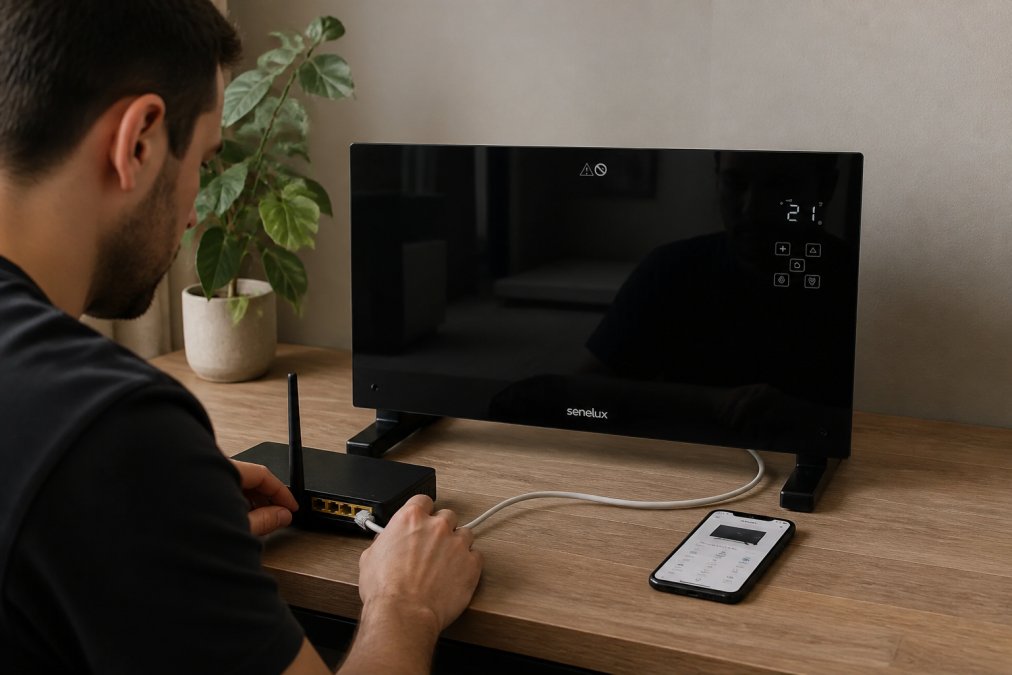
The hub is the nervous system of your smart home. It manages communication between devices, processes automation routines, and ensures everything responds reliably. Without a quality hub, you'll experience lag, dropped connections, and devices that randomly stop responding.
Device compatibility matters more than feature count. A kit with five devices that work flawlessly beats one with ten devices that constantly struggle to connect. Look for kits that standardise on wireless protocols like Zigbee or Z-Wave, which are specifically designed for home automation rather than borrowed from consumer WiFi networks.
Setup simplicity separates kits designed for actual homes from those engineered by people who've never lived with technology. Quality kits include clear labelling, step-by-step mobile apps, and pre-configured automations that work out of the box.
Finally, future-proofing matters. Look for kits that support Matter, an emerging standard that promises genuine interoperability across brands. Kits built around Matter will remain relevant as your smart home grows.
Best Smart Home Hub 2026: Choosing Your Central Control
Your hub choice determines whether your smart home thrives or frustrates you. The best smart home hub for 2026 balances processing power, device compatibility, and ease of use without requiring constant troubleshooting.
Modern hubs fall into three categories: voice-first assistants (Amazon Echo, Google Home), dedicated smart home controllers (Samsung SmartThings, Hubitat Elevation), and mesh-capable devices that double as hubs.
Voice-first assistants offer the gentlest entry point. They handle automation routines, voice control, and basic device management. The catch is that their automation capabilities plateau quickly if you want sophisticated conditional logic or energy monitoring.
Dedicated smart home hubs prioritise automation and reliability over voice features. These platforms typically support more devices, handle complex automation sequences, and provide granular control over device behaviour.
Mesh-capable hubs like Aqara or Eve systems combine reliable local processing with cloud backup and extend network range throughout your home. A weak connection to a motion sensor upstairs will cause missed automations and false alerts.
When choosing a hub, verify that it supports the specific devices you want to add. Check whether it requires a subscription for cloud features, and confirm that local automation still works if your internet drops.
Smart Home Automation for Beginners: Essential Devices to Start With
Starting small with the right devices beats overwhelming yourself with a sprawling system you'll never fully configure. The essentials form a foundation that actually improves daily life.
Smart Lighting and Energy Management
Smart lighting is the best entry point for beginners. It's immediately useful, relatively foolproof to install, and creates visible automation that makes the whole system feel worthwhile.
Smart switches replace your existing light switches and work with any bulb. They're more reliable than smart bulbs because they're not subject to the same wireless interference issues. A quality smart switch costs £25-45 and provides automation, remote control, and energy monitoring for an entire room.
Energy management devices pair naturally with smart lighting. Smart plugs let you monitor power consumption on individual appliances. The Senelux Black Glass Panel Heater with WiFi controls (£105.59 at Gadgetry) combines heating with app-based temperature management and energy-efficient modes that adapt to your routine.

Home Security and Monitoring Sensors
Security cameras and motion sensors form the second layer of a functional smart home. The Blink Outdoor 3rd Gen Add-On Home Security Camera (£85.53 at Gadgetry) exemplifies practical security design. It operates on a two-year battery, sends motion alerts directly to your phone, and integrates with voice assistants for quick status checks.
Motion sensors automate lighting and trigger security alerts. Quality sensors distinguish between genuine movement and passing shadows, reducing false alerts. Door and window sensors detect whether a door or window is open, triggering alerts if someone opens them unexpectedly.
Voice Assistant Compatibility
Voice control becomes the interface you use most frequently once you're actually using it. "Lights on," "set temperature to 20 degrees," and "show me the front camera" are genuinely useful voice commands.
Compatibility matters more than which voice assistant you choose. Amazon Alexa integrates with the broadest device ecosystem, but Google Assistant and Apple Siri have improved substantially.
The real value emerges when voice control triggers automations. Setting a routine that says "Alexa, I'm leaving" to turn off lights, lock doors, and adjust the thermostat is more useful than individual voice commands.
Privacy and Data Security in Your Smart Home
Smart home security extends beyond physical intrusions to data protection. Every connected device collects information about your behaviour, when you're home, your temperature preferences, and when you sleep.

Choose devices from manufacturers with published privacy policies that explicitly state what data they collect and how they use it. Avoid devices that require constant cloud connectivity for basic functions; local processing means your behaviour data stays in your home.
Check whether your hub supports local automation without internet access. If your internet drops, can your lights still respond to motion sensors? A resilient smart home keeps functioning when cloud services fail.
Regularly update device firmware. Manufacturers release security patches that close vulnerabilities, but only if you actually install them. Set firmware updates to install automatically.
Consider network isolation. Advanced users can create separate WiFi networks for smart home devices, preventing them from accessing computers or phones where sensitive information lives.
Installation and Setup Tips for Your First Kit
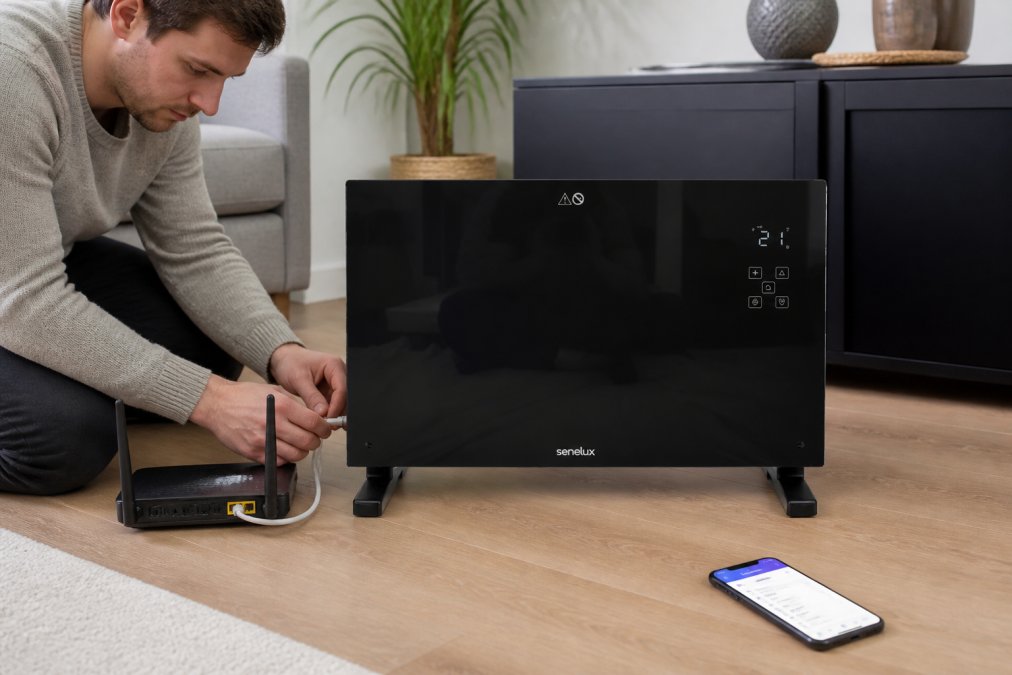
Setup difficulty separates kits that work from kits that frustrate you. Quality kits include clear instructions, intuitive mobile apps, and devices that pair automatically.
Start by placing your hub in a central location, not hidden in a cupboard. Hub placement directly affects wireless range and device connectivity.
Connect your hub to your router using an Ethernet cable rather than WiFi. This provides a stable connection that doesn't compete with your devices for bandwidth.
Pair devices one at a time rather than attempting to add everything simultaneously. This approach lets you troubleshoot connectivity issues individually.
Name devices clearly as you add them. "Hallway ceiling light" or "kitchen worktop light" lets you find devices quickly in your app and use voice commands effectively.
Test automations with simple scenarios before building complex ones. Create a "leaving home" routine that turns off lights and locks doors. Verify it works reliably for a week before adding additional actions.
Interoperability: Making Devices Work Together
Interoperability, devices from different manufacturers working together seamlessly, is the difference between a functional smart home and a collection of isolated gadgets.
Most current smart home ecosystems use proprietary protocols that don't communicate with other brands. Matter promises to change this. This emerging standard creates a common language that lets devices from different manufacturers communicate directly.
For 2026, Matter support is becoming standard on quality devices. When evaluating kits, check whether the hub and devices support Matter. Even if you don't use Matter devices immediately, a Matter-compatible hub future-proofs your investment.
If you're mixing devices from different ecosystems, use your hub as the central translator. Most modern hubs can integrate devices from multiple manufacturers, creating automations that span ecosystems.
Budget-Friendly and Premium Options
Smart home starter kits range from £200 to over £1,000, depending on included devices and ecosystem sophistication.
Budget kits (£200-400) typically include a hub, a few smart lights, and basic motion sensors. They're ideal for testing whether you actually want smart home automation before investing significantly.
Mid-range kits (£400-700) add security cameras, smart locks, and more sophisticated hubs with stronger processing power. These kits handle complex automations and integrate more device types.
Premium kits (£700+) include high-end cameras, multiple hubs for mesh networks, and devices from respected manufacturers. They're suitable for people who've already experienced smart home benefits and want a system that scales without performance degradation.
| Kit Type | Price Range | Best For | Typical Devices |
|---|---|---|---|
| Budget | £200-400 | Testing smart home concepts | Hub, 2-3 lights, motion sensor |
| Mid-Range | £400-700 | Functional automation | Hub, lights, camera, lock, thermostat |
| Premium | £700+ | Large homes or complex automation | Multiple hubs, 8+ devices, professional-grade security |
Gadgetry curates options across all three tiers. Rather than forcing you toward the most expensive option, we help you find the kit that matches your actual needs. Our handpicked selection eliminates products that sound impressive but fail in real homes.
Conclusion
A high quality smart home starter kit eliminates the guesswork from building an automated home. Rather than researching individual devices and hoping they work together, a quality kit bundles proven compatibility, straightforward setup, and genuine automation benefits.
The best kits prioritise reliability over feature count. A system with five devices that work flawlessly beats one with twenty devices that constantly struggle to connect. Start small, verify that automations actually improve your life, then expand gradually.
Frequently Asked Questions
What are the essential devices to include in a smart home starter kit?
A solid starter kit should include a smart home hub (your central control point), smart lighting or a smart plug to test automation, a motion sensor for security, and a voice assistant for hands-free control. From there, add devices based on your priorities: security cameras for monitoring, a smart thermostat for energy management, or smart locks for convenience. Start with 3-4 devices maximum to avoid overwhelming yourself during setup.
How do I ensure my smart home devices are secure?
Change default passwords immediately, enable two-factor authentication on your hub's app, and keep firmware updated regularly. Use a separate Wi-Fi network for smart devices if your router supports it, and disable features you don't need (like microphone access on cameras). Review privacy settings in each device's app, and choose brands that publish clear data policies. Avoid connecting devices to public Wi-Fi, and periodically audit which apps have access to your home automation system.
Are smart home starter kits compatible with existing home Wi-Fi?
Most high quality smart home starter kits work on standard 2.4GHz Wi-Fi networks, though some newer devices prefer 5GHz for faster speeds. Check your router specifications before purchasing. Many kits use mesh networks or Zigbee protocols that don't require Wi-Fi at all, they communicate through a hub instead. This actually improves reliability and reduces interference with other devices. If your Wi-Fi is weak in certain rooms, a mesh router upgrade may be necessary for consistent device connectivity.
What is the best brand for smart home products?
The best brand depends on your ecosystem choice. Amazon Alexa dominates for voice control and affordability, while Apple HomeKit offers superior privacy. Google Home provides excellent automation routines. For dedicated smart home hubs, Hubitat and SmartThings offer flexibility. Gadgetry curates products from proven brands like Blink for security cameras and Senelux for smart heating. Look for brands with strong app support, regular firmware updates, and clear privacy practices rather than choosing based on price alone.
Can I future-proof my smart home starter kit with Matter compatibility?
Yes. Matter is an open standard that improves interoperability between devices from different manufacturers. When choosing a starter kit in 2026, prioritise hubs and devices with Matter support to avoid lock-in. This means you can mix brands more freely and won't face compatibility issues if you switch ecosystems later. Not all devices support Matter yet, but it's rapidly becoming standard on new products. Check device specifications before purchasing to confirm Matter compatibility.
Ready to build your smart home foundation? Gadgetry's curated selection includes the devices that actually work together, paired with hubs that handle real-world automation without constant troubleshooting. Our fast worldwide shipping means you'll start automating your home within days, and our hassle-free returns guarantee you can test devices risk-free. Browse our smart home essentials and add quality automation to your home today.
This article was written using GrandRanker

