

Table of Contents
- What Smart Home Essentials Actually Mean for Beginners
- The Core Devices You Need to Start
- Security Essentials: Smart Cameras and Video Doorbells
- Finding the Best Smart Home Hub for 2026
- How to Secure Smart Home Devices Against Threats
- Energy-Saving Smart Home Devices That Cut Bills
- Setting Up Your First Smart Home: Step-by-Step
- Interoperability and Standards: What Beginners Must Know
Last Updated: August 24, 2026
What Smart Home Essentials Actually Mean for Beginners
Smart home essentials for beginners aren't about buying every connected gadget on the market. They're about choosing devices that solve real problems in your daily routine without creating complexity you don't need.
A genuine smart home essentials for beginners setup requires just three things: one central control point (a smart hub), a handful of core devices that automate your most repetitive tasks, and a clear security foundation from day one. This guide walks you through exactly what those essentials are, how to choose them, and how to set them up without getting tangled in technical complexity.
The Core Devices You Need to Start
The devices that matter are the ones that solve friction points in your routine. If you're constantly adjusting your heating manually, a smart thermostat saves you dozens of actions per month. If you're fumbling for light switches in the dark, smart lighting becomes genuinely useful. Start with one or two categories, get them working smoothly, then expand.
Smart speakers and voice assistants
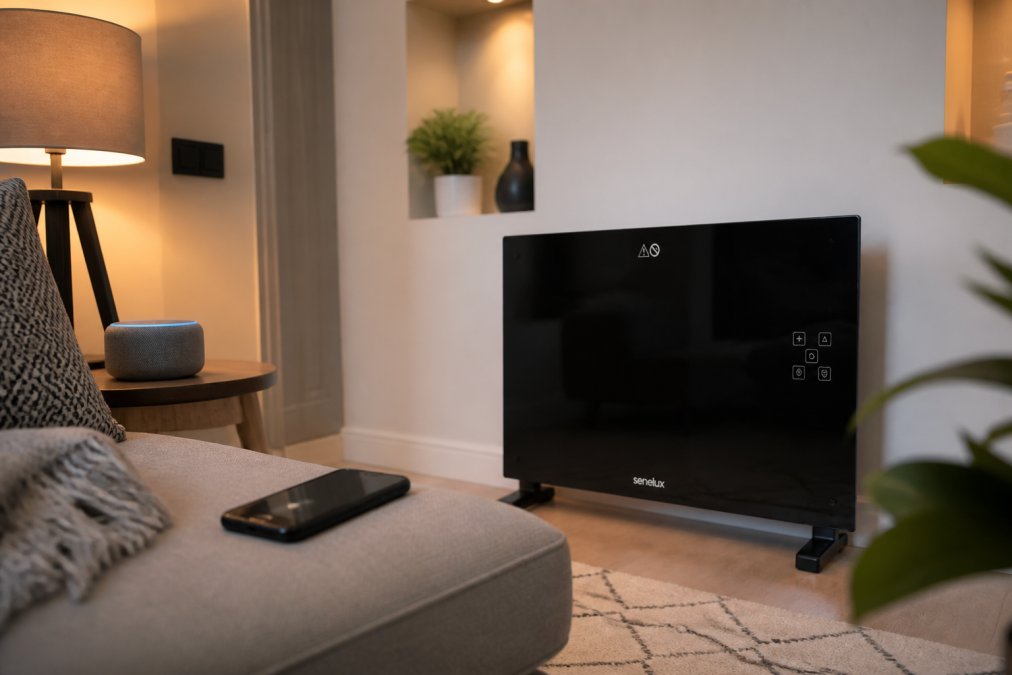
A smart speaker is the most practical entry point into a smart home ecosystem. It's your voice interface to everything else, ask it questions, control devices with commands, and set up automation without touching your phone.
For beginners, choose between Amazon Alexa, Google Assistant, or Apple Siri. Alexa has the widest device compatibility, Google Assistant integrates best with non-Apple smart home devices, and Siri works seamlessly if you're already in the Apple ecosystem. Pick one and commit to it to avoid compatibility gaps.
The smart speaker also becomes your smart hub, the central point that lets your devices communicate with each other and with you when you're away from home. Without a hub, many devices only work when you're on the same Wi-Fi network.
Smart lighting solutions
Smart lighting is where most people see immediate value. The ability to control lights from your phone, set them to turn on automatically when you arrive home, or dim them gradually in the evening feels genuinely convenient.
Start with smart bulbs rather than smart switches. They're cheaper, easier to install, and you can replace them if they fail without rewiring. A typical setup is one or two smart bulbs in the rooms where you spend the most time: the bedroom for evening automation, the living room for voice control, the hallway for motion-triggered lighting.
The real power emerges when you create routines. Set your bedroom lights to gradually brighten 15 minutes before your alarm, or have your hallway lights turn on automatically when motion is detected after sunset.
Smart heating and thermostats
A smart thermostat is one of the highest-impact devices you can install ([EXTERNAL_LINK: Connected thermostats offer gateway to increasing energy savings | energy.gov]). It learns your heating patterns, adjusts automatically based on your location, and lets you control your heating from anywhere.
Most smart thermostats replace your existing thermostat directly without requiring an electrician. Once installed, you control everything from an app or voice commands. The real savings come from automating schedules, instead of manually adjusting your heating every morning and evening, your thermostat learns when you're home and adjusts accordingly. Many users report noticing lower energy bills within the first month.
Smart plugs and power management
Smart plugs are the underrated workhorse of any smart home. Plug one into an outlet, plug your device into it, and suddenly any device becomes "smart," even if it wasn't designed to be.
This is particularly useful for appliances that don't have native smart features: coffee makers, fans, space heaters, or entertainment systems. You can schedule them to turn on at specific times, turn them off remotely if you've forgotten, or have them respond to voice commands. A common approach is to put smart plugs on devices you regularly forget to turn off, eliminating unnecessary energy drain.
Security Essentials: Smart Cameras and Video Doorbells
Security is where the emotional value of a smart home really hits home. Knowing you can see your front door from your phone creates a genuine sense of control.
A video doorbell is the most practical security addition for beginners. It replaces your existing doorbell and gives you a live video feed whenever someone approaches your door. You can see who's there, speak to them through the device, and have footage saved automatically.
The Blink Outdoor 3rd Gen Add-On Home Security Camera offers a practical starting point. At £85.53, it delivers 1080p HD video, motion detection, and night vision. It integrates with Alexa, so you can ask to see your front door on any Alexa device in your home. The weatherproof design works reliably in the British climate, and the battery lasts months between charges. Video doorbells create immediate value: you'll never miss a delivery again, you can verify who's at the door before answering, and you have a record of who visited while you were out.

For broader coverage, add one or two outdoor cameras positioned to cover your driveway, garden, or side access points. Modern outdoor cameras are weatherproof and work in low light.
Finding the Best Smart Home Hub for 2026
Your smart hub is the nervous system of your entire setup. Without one, most devices only work when you're home on the same Wi-Fi network. With a hub, devices communicate with each other, automation runs locally, and you control everything remotely.
The best smart home hub depends on which voice assistant you've chosen. If you're using Alexa, the Echo Show or Echo Dot acts as your hub. For Google Assistant, use a Google Home device. For Apple, an Apple TV or HomePod mini serves the same function.
Your hub needs to stay connected to power and your Wi-Fi network 24/7 and be positioned centrally in your home for reliable coverage. The hub enables Thread, Matter, and Zigbee protocols, technical standards that let different devices talk to each other regardless of manufacturer. This interoperability is crucial for a stable, expandable system.
How to Secure Smart Home Devices Against Threats
Security isn't optional with smart home devices. Start with the basics: change the default password on every device immediately after setup and use a strong, unique password for each device.
Keep firmware updated. Your devices receive security patches regularly, and outdated firmware is a common vulnerability. Use a separate Wi-Fi network for your smart home devices if your router supports it, isolating them from your computers and phones. Enable two-factor authentication on your smart home accounts. Disable features you don't use, and consider your privacy settings explicitly, you can mute microphones physically when not using the device.
Energy-Saving Smart Home Devices That Cut Bills
Smart home devices can genuinely reduce your energy consumption through automation. A smart thermostat is the highest-impact device, with most users seeing 10-15% reductions in heating costs ([EXTERNAL_LINK: US EPA's ENERGY STAR program advances energy management through smart homes | epa.gov]). Smart lighting contributes smaller savings, primarily by preventing lights left on unnecessarily.
The Black Glass Panel Heater with Wifi Controls from Gadgetry, priced at £105.59, lets you set precise heating schedules for different rooms, and the Eco Mode optimizes energy use automatically. Smart plugs on standby devices prevent phantom power draw, a device in standby consuming 5 watts continuously saves roughly £4 per year.

The key to energy savings is using automation consistently. Set your heating to lower temperatures during work hours and overnight, schedule lights to turn off automatically, and use motion sensors in low-traffic areas.
Setting Up Your First Smart Home: Step-by-Step
Step 1: Choose your smart hub and voice assistant. Decide whether you're using Alexa, Google Assistant, or Siri and set up your smart speaker first.
Step 2: Download the relevant app. Install the Alexa app, Google Home app, or Apple Home app on your phone.
Step 3: Add your devices one at a time. Start with one device, follow its setup instructions, and use your app to add it to your network.
Step 4: Name your devices clearly. Use descriptive names like "Bedroom Light" or "Front Door Camera" rather than generic names.
Step 5: Create rooms in your app. Organize your devices by location: Bedroom, Living Room, Kitchen, Garden.
Step 6: Test voice control. Say "Alexa, turn on the bedroom light" to confirm everything is communicating properly.
Step 7: Set up automations gradually. Start with one simple automation like your hallway light turning on when motion is detected after sunset.
Step 8: Expand methodically. Add new devices one or two at a time to troubleshoot problems as they arise.
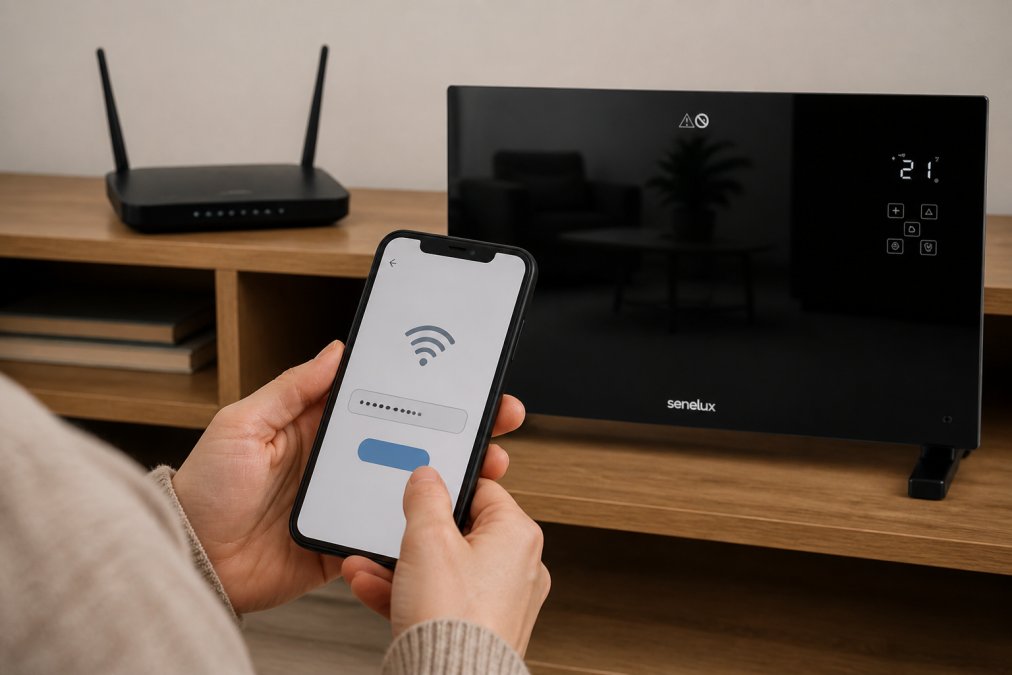
Common setup issues usually stem from Wi-Fi problems. Ensure your router is positioned centrally and your devices are within range.
Interoperability and Standards: What Beginners Must Know
One of the most frustrating experiences with smart home devices is discovering they don't work together. This problem exists because smart home devices use different communication protocols, some use Wi-Fi directly, others use Zigbee or Z-Wave, some use Bluetooth.
Matter is changing this. It's a new interoperability standard designed to let devices from different manufacturers work together seamlessly. Thread is a related technology that creates a mesh network, allowing devices to communicate through each other.
For beginners, check device compatibility before buying. Look for devices that support Matter or Thread, or confirm they work with your chosen smart assistant platform. The safest approach is to stick with one ecosystem initially, then experiment with mixing devices once you're comfortable.
Building a smart home doesn't require technical expertise or a massive budget. Start with one clear problem you want to solve, choose devices that address that problem and integrate with each other, then expand gradually once that foundation is solid.
At Gadgetry, we've curated a collection of smart home essentials specifically chosen for reliability, compatibility, and genuine value. Our team has tested each product to ensure it works as promised, and we handle the sourcing so you don't waste time hunting down quality devices. With fast worldwide shipping and hassle-free returns, you can build your smart home with confidence. Start your setup today and experience the convenience of a genuinely connected home.
Frequently Asked Questions
What are the essential devices to start a smart home?
Begin with a smart speaker or voice assistant, smart lighting, and a smart plug or two. These three categories give you voice control, automation routines, and remote management. Add a smart thermostat next for energy efficiency, then expand with security cameras or smart locks based on your priorities. Most beginners find this foundation covers 80% of their needs without overwhelming complexity.
Do I need a smart home hub to get started?
Not always. Many smart speakers like Amazon Echo or Google Home act as hubs themselves, connecting Wi-Fi devices directly. However, a dedicated hub becomes valuable when you add Thread or Zigbee devices for better reliability and range. For beginners using only Wi-Fi-connected devices, a hub is optional. As your smart ecosystem grows, a hub improves performance and reduces connection drops.
How do I ensure my smart home devices are secure?
Use strong, unique passwords for each device and your Wi-Fi network. Enable two-factor authentication wherever available. Keep firmware updated by checking manufacturer apps regularly. Use a separate Wi-Fi network for smart devices if your router supports guest networks. Disable unnecessary features like microphones on cameras you don't use for voice. Review privacy settings in each device's app and disable data sharing unless essential.
What's the difference between the best smart home hub options in 2026?
Leading hubs now support Matter and Thread standards, improving compatibility across brands. Amazon Echo Hub excels with Alexa integration and screen display. Apple HomePod Mini suits iOS users with HomeKit compatibility. Samsung SmartThings Hub works across multiple ecosystems. Google Nest Hub integrates tightly with Google services. Choose based on which voice assistant you already use or prefer, and whether you prioritise HomeKit, Alexa, or multi-brand flexibility.
Which energy-saving smart home devices deliver the best return on investment?
Smart thermostats save the most, typically reducing heating costs by 10-15% through automated scheduling and learning. Smart radiator valves add targeted room control. The Senelux Black Glass Panel Heater with WiFi controls (£105.59) replaces traditional heating while adding smart control. Smart plugs prevent standby drain on entertainment systems. Motion sensors paired with smart lighting eliminate wasted power in unused rooms. Start with a thermostat; it pays for itself fastest.
Are smart home devices compatible with UK electrical standards?
Most modern smart devices sold in the UK meet relevant standards. Check product listings for CE marking and UK voltage specifications (230V). Smart plugs, heaters, and lighting should clearly state UK compatibility. Security cameras and hubs are typically voltage-agnostic. Always verify the product description before purchase. Gadgetry curates products specifically for UK compatibility, so items in our catalogue meet local electrical and safety requirements.
What's the realistic cost to set up a basic smart home?
A functional starter setup costs £150-300. Budget roughly £40-80 for a smart speaker, £30-60 for smart lighting (2-3 bulbs), £50-150 for a smart thermostat, and £20-40 for a smart plug or two. The Senelux Black Glass Panel Heater (£105.59) replaces traditional heating while adding smart control. Security cameras like the Blink Outdoor 3rd Gen (£85.53) extend costs. Begin with essentials and expand gradually based on your needs and budget.
This article was written using GrandRanker

