

Table of Contents
- Best Smart Home Alternatives to Aetheo
- Smart Lighting Solutions and Colour-Shifting Bulbs
- Smart Home Automation Systems Comparison
- Smart Home Integration Best Practices
- How to Choose Smart Home Sensors
- Privacy, Data Security, and Interoperability
- Budget-Friendly Smart Home Alternatives
- Smart Speakers and Voice Control Integration
Last Updated: August 13, 2026
Best Smart Home Alternatives to Aetheo
If you're exploring smart home alternatives, you're likely weighing options that balance functionality, ease of setup, and genuine value. The market for smart home automation systems comparison has expanded dramatically, and understanding what works for your specific needs, rather than chasing the latest buzzword, is what separates a system you'll actually use from expensive gadgets gathering dust.

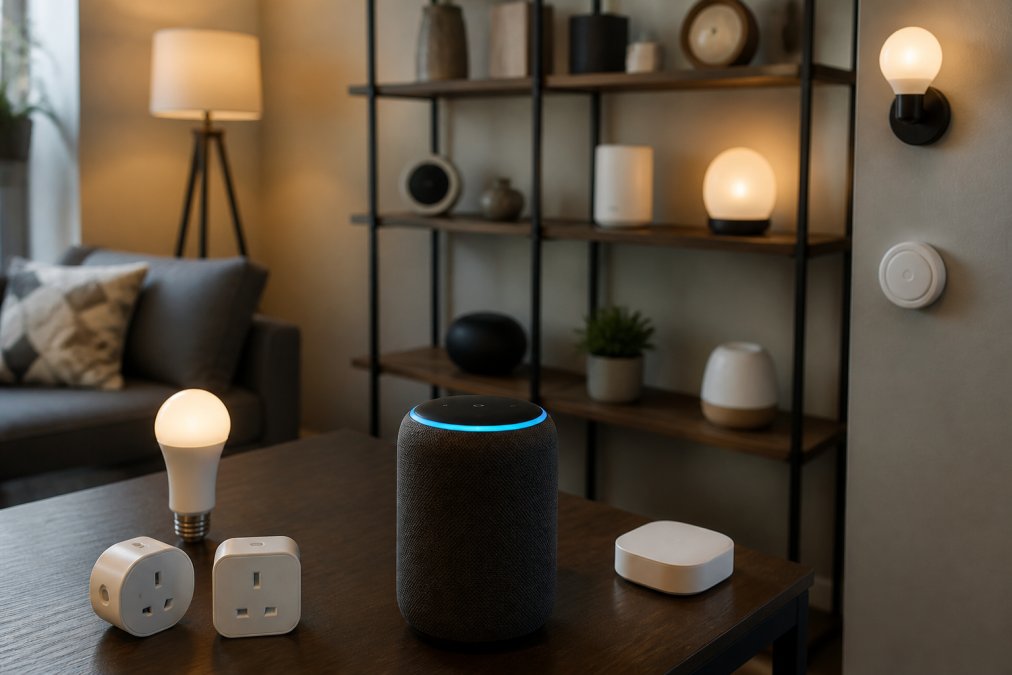
At Gadgetry, we've tested and curated numerous smart home solutions designed to simplify daily routines without the complexity. Whether you're automating lighting, heating, or security, the key is finding devices that communicate reliably and don't lock you into a single ecosystem. Below, we've mapped out the landscape of smart home alternatives that actually deliver on their promises, and where they fall short.
Why Consider Alternatives
The most common mistake homeowners make is assuming all smart home devices work together seamlessly. They don't. Ecosystem lock-in remains a real problem: buy devices from one manufacturer, and you're often stuck with their app, their protocols, and their limitations. A smart home alternative strategy means prioritising devices built on open standards like Zigbee or Wi-Fi connectivity that work across multiple platforms.
Cost matters too. Premium smart home systems demand significant upfront investment. Budget-friendly smart home alternatives deliver comparable functionality at a fraction of the price, particularly when you focus on the devices you'll actually use daily rather than aspirational automation you'll never configure.
Quick Comparison Table
| Alternative | Starting Price | Best For | Key Strength |
|---|---|---|---|
| Smart Lighting Solutions | £15-£80 | Ambiance & energy control | Instant setup, colour-shifting options |
| Smart Plugs | £10-£25 | Retrofitting existing devices | Universal compatibility, budget-friendly |
| Smart Speakers | £249-£259 | Voice control & hub functionality | Natural language interaction, multi-device control |
| Smart Thermostats | £150-£300 | Heating automation | Energy efficiency, remote monitoring |
| Motion Sensors | £20-£60 | Security & automation triggers | Reliable detection, low false-positive rates |
| Smart Hubs | £349 | System integration | Centralised control, ecosystem bridging |
Smart Lighting Solutions and Colour-Shifting Bulbs
Smart lighting is where most people begin their smart home journey, and for good reason. Colour-shifting bulbs offer immediate visible results and require zero infrastructure changes. You're replacing existing bulbs, not rewiring rooms.
The appeal is straightforward: adjust brightness and colour temperature from your phone, set schedules that mimic sunrise and sunset, and integrate lighting with motion sensors or voice commands. Many users find that smart lighting alone, independent of broader automation, pays for itself through reduced energy consumption and convenience.
What most guides miss is calibration. Colour-shifting bulbs need proper setup to deliver accurate hues. Cheap implementations produce washed-out colours or inconsistent brightness across multiple bulbs in the same room. Quality matters here. Look for bulbs supporting standard wireless protocols rather than proprietary ones, ensuring compatibility if you upgrade other devices later.
Motion-triggered lighting is particularly effective in hallways, bathrooms, and utility spaces where you rarely need manual control. Pair a motion sensor with smart bulbs, set a dim warm light for night-time activation, and you've eliminated the need to fumble for switches in the dark.
Smart Home Automation Systems Comparison
A true smart home automation systems comparison requires understanding the difference between individual devices and integrated systems. A smart speaker is just a speaker. A smart hub orchestrating lights, plugs, sensors, and thermostats is an actual system.
The Slate Grey Smart Home Hub Display from Gadgetry (£349.00) exemplifies this approach. It centralises control across multiple device types through a single interface, eliminating the need to juggle separate apps for heating, lighting, and security. The glass touch panel responds instantly, and the acoustic capabilities mean announcements and alerts come through clearly without requiring your phone.
Integration platforms vary significantly in flexibility. Some require all devices to use the same brand's wireless protocol, Zigbee, Z-Wave, or proprietary options. Others work across brands through Wi-Fi connectivity, though this introduces latency and dependency on your internet connection. The best approach combines both: Zigbee or Z-Wave devices for critical automation (heating, security) where reliability matters more than speed, and Wi-Fi devices for convenience features like smart speakers and cameras.
Setup difficulty separates practical systems from theoretical ones. Non-tech users often abandon smart home projects after struggling with device pairing, app configuration, and network troubleshooting. Plug-and-play devices with straightforward pairing sequences win. The Black Glass Panel Heater with Wifi Controls (£105.59) demonstrates this principle, three heating modes, app control, and wall-mount or freestanding flexibility without requiring network expertise.

Smart Home Integration Best Practices
Integration begins with protocol selection, not device selection. Decide whether you're building a Zigbee mesh network, a Z-Wave system, or a Wi-Fi-based setup. Each has trade-offs. Zigbee and Z-Wave offer better reliability and lower latency but require a hub. Wi-Fi devices connect directly to your router but consume more power and depend on your internet connection.
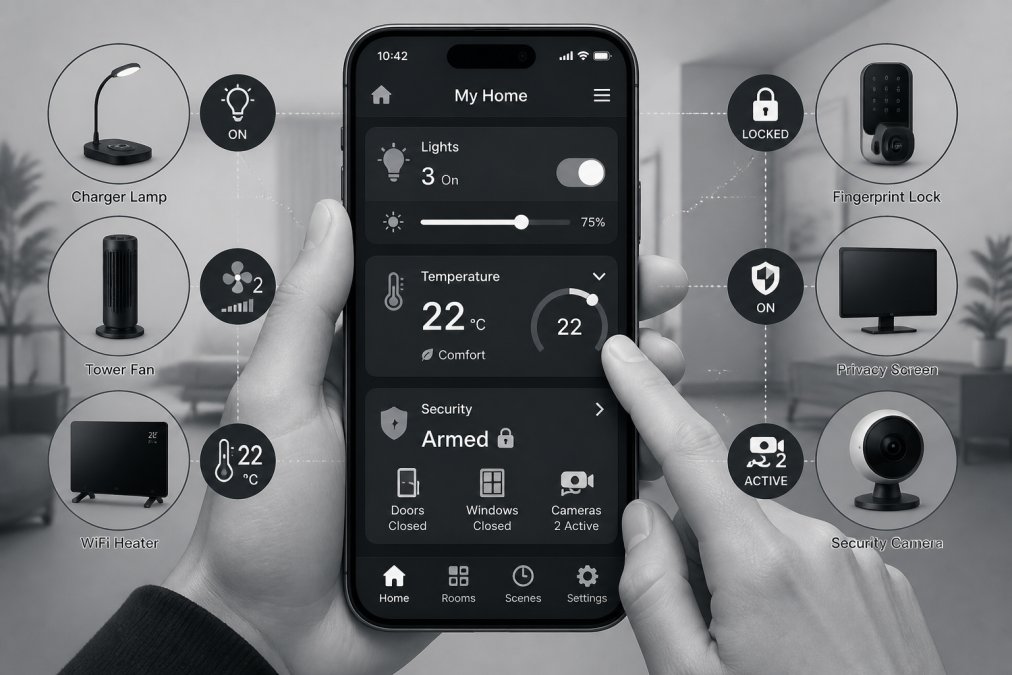
Document your network architecture before adding devices. Map which devices communicate with which hub, which operate independently, and which require internet connectivity. This prevents the frustration of discovering mid-setup that your new motion sensor doesn't speak the same protocol as your lighting system.
Automation routines should be simple initially. A common mistake is building complex multi-step automations that rely on everything working perfectly. Start with single-trigger routines: motion detected → lights activate. Once that's stable, layer additional complexity. This approach reduces troubleshooting overhead when something inevitably fails.
Test firmware updates in stages. Manufacturers release updates regularly, and whilst they often improve reliability, early adoption can introduce bugs affecting your entire system. Update one device, verify functionality for a week, then proceed to others.
Voice control integration through smart speakers adds convenience but introduces another layer of complexity. The Graphite Smart Speaker With Voice Control (£249.00) from Gadgetry offers far-field voice recognition that works reliably across a room, and it integrates seamlessly with existing smart home devices. However, voice control works best for frequently-used commands, adjusting lights, checking temperature, playing music. Rarely-used automations are better handled through apps or physical buttons.

How to Choose Smart Home Sensors
Sensors form the intelligence layer of smart home automation. Without them, you're just controlling devices manually through apps, not actually automating anything. Motion sensors, temperature monitors, and presence detectors trigger routines that run without intervention.
Motion Detection and Human Presence Sensors
Motion sensors come in two types: passive infrared (PIR) and microwave-based. PIR sensors detect heat signatures and work reliably for most residential applications. Microwave sensors penetrate walls and detect movement through obstacles, useful for detecting presence in occupied spaces even when motion has stopped.
The key specification is false-positive rate. Cheap motion sensors trigger constantly from air currents, pets, or shadows, rendering automation unreliable. Quality sensors use dual-element detection and adjustable sensitivity thresholds to reduce false triggers. Calibration matters: install sensors away from direct heat sources, air vents, and windows where temperature fluctuations cause false positives.
Latency determines user experience. A motion sensor that takes three seconds to trigger lights is noticeably slower than one responding within 500 milliseconds. For hallway and bathroom automation, sub-second response feels natural. Delayed response creates frustration and drives users back to manual switches.
Temperature and Humidity Monitoring
Temperature sensors enable smart thermostat functionality and energy efficiency tracking. Standalone sensors cost far less than full smart thermostats, making them ideal for monitoring specific rooms or identifying temperature inconsistencies across your home.
Humidity monitoring prevents condensation issues in bathrooms and kitchens. Smart ventilation triggered by humidity thresholds reduces mould growth and improves air quality without requiring manual intervention. This is particularly valuable in older properties where humidity control is challenging.
Sensor placement significantly affects accuracy. Mount temperature sensors away from heat sources, direct sunlight, and air vents. Centralised placement misses localised temperature variations, the bedroom might be cold whilst the kitchen is warm. Multiple sensors distributed throughout your home provide better automation triggers than a single central device.
Privacy, Data Security, and Interoperability
Privacy concerns around smart home devices are legitimate. Most devices transmit usage data to manufacturer servers for cloud-based features like remote access and analytics. This raises questions about data retention, third-party sharing, and security vulnerabilities.
Look for devices offering local control options, automations that run on your home network without requiring cloud connectivity. This reduces data exposure and improves reliability when your internet connection fails. Zigbee and Z-Wave devices typically offer better privacy characteristics than Wi-Fi devices because they operate locally by default.
Interoperability remains the biggest practical concern. Devices from different manufacturers often fail to communicate reliably, creating frustration when you've invested in multiple ecosystems. Open standards like Matter (an emerging protocol designed for cross-manufacturer compatibility) address this, but adoption remains inconsistent. Until Matter becomes standard, prioritise devices from manufacturers with strong integration track records or stick with single-ecosystem solutions.
Firmware security is critical. Manufacturers release patches for vulnerabilities discovered in the field. Devices that don't receive regular updates become security risks. Check the manufacturer's update frequency and commitment to supporting devices for at least 3-5 years before purchasing.
Budget-Friendly Smart Home Alternatives
The most expensive smart home system isn't necessarily the best one. Budget-friendly smart home alternatives deliver remarkable functionality at accessible price points, particularly when you prioritise devices addressing your actual needs rather than aspirational ones.
Smart plugs represent the best value proposition. The Infrared Phone Adapter (£14.99) from Gadgetry exemplifies this: it controls up to 15 devices using infrared signals through your phone, offering smart home functionality without replacing existing devices. Plug a traditional lamp into a smart plug, and suddenly you have remote control, scheduling, and automation triggers. Cost per device controlled: pennies.
Motion-triggered lighting without a dedicated smart lighting system is another budget win. Combine a cheap motion sensor with existing bulbs using smart plugs, and you've created automated lighting for under £50. It's not as elegant as dedicated smart bulbs, but it works reliably.
Budget-friendly approaches also mean avoiding unnecessary devices. The Blink Outdoor 3rd Gen Add-On Home Security Camera (£85.53) provides HD video, motion detection, and night vision without requiring a subscription for basic functionality. Compare this to premium security systems costing three times as much, and you're making an informed choice rather than paying for brand prestige.
The Fingerprint Lock (£34.99) from Gadgetry demonstrates another pattern: solving a specific problem affordably. Forget your lock code? A fingerprint lock eliminates key management and forgotten codes without the expense of full smart lock systems.
Smart Speakers and Voice Control Integration
Smart speakers serve dual purposes: audio playback and voice assistant interface. The distinction matters. A high-quality speaker delivering excellent music reproduction is different from a voice-focused device optimised for command recognition in noisy environments.
The Glass Accent Smart Home Speaker (£259.00) from Gadgetry combines both: 360-degree audio that fills a room, coupled with privacy-first voice recognition that responds reliably without requiring constant internet connectivity for basic commands. The sculpted glass ring provides visual feedback, and the acoustic design ensures clarity for both music and voice.
Voice control shines for hands-free convenience: adjusting lights whilst carrying groceries, checking weather whilst cooking, or setting reminders without reaching for your phone. It falls short for complex commands requiring multiple steps or infrequent tasks where remembering the exact voice syntax becomes cumbersome.
Integration with your smart home ecosystem determines value. A smart speaker controlling only music playback is entertainment. A smart speaker commanding lights, thermostats, and security devices becomes a genuine control hub. Ensure your speaker's voice assistant supports the devices you've chosen before purchasing.
Far-field microphone quality directly impacts usability. Budget speakers with single microphones miss commands when there's background noise. Quality implementations use multiple microphones and directional audio processing to isolate voice commands from ambient sound. The Graphite Smart Speaker With Voice Control (£249.00) from Gadgetry employs this approach, delivering reliable recognition even in kitchens with running water or open-plan spaces with multiple conversations.
Building a smart home that actually simplifies your life requires resisting the urge to automate everything simultaneously. Start with a single problem: lighting control, heating efficiency, or security monitoring. Choose reliable devices built on open standards, test thoroughly before expanding, and prioritise local control where possible. Gadgetry has curated a selection of smart home devices, from the Slate Grey Smart Home Hub Display orchestrating your ecosystem to affordable smart plugs and sensors, designed to integrate seamlessly with your lifestyle. Explore our range and discover how thoughtful automation genuinely makes everyday life more interesting.
Frequently Asked Questions
What are the best smart home alternatives to Aetheo?
Top alternatives include systems using Zigbee, Wi-Fi, and voice-controlled hubs. The Graphite Smart Speaker (£249) and Slate Grey Smart Home Hub Display (£349) from Gadgetry offer excellent ecosystem integration. Budget options like the Infrared Phone Adapter (£14.99) control up to 15 devices. Choose based on your existing devices, desired automation routines, and whether you prioritise voice control or app-based management. Compatibility with your current smart home setup matters most.
How do I choose the right smart home technology provider for my needs?
Evaluate providers on three criteria: device compatibility with what you already own, wireless protocol support (Wi-Fi, Zigbee, or both), and ecosystem lock-in risk. Check whether their hub requires proprietary firmware or supports open standards. Test their app interface for ease of use, automation routines should be straightforward to set up. Consider data privacy policies and whether the company stores sensor data locally or in the cloud. Read user reviews specifically about reliability and latency issues.
Are there budget-friendly smart home alternatives that don't sacrifice quality?
Yes. The Infrared Phone Adapter (£14.99) is an affordable entry point for controlling legacy devices. Smart plugs offer cost-effective device control. The Black Glass Panel Heater with Wi-Fi Controls (£105.59) combines heating with smart functionality without premium pricing. Blink Outdoor cameras (£85.53) provide motion detection and security at reasonable cost. Start with one category, lighting or heating, rather than building a full ecosystem at once. This approach spreads costs while testing compatibility with your home setup.
What features should I prioritise when comparing smart home automation systems?
Prioritise wireless connectivity stability (Wi-Fi networks tend to be more reliable than Zigbee for most homes), local device pairing speed, and automation routine flexibility. Check whether the system supports human presence detection or just motion sensors, presence sensors reduce false alerts. Verify firmware update frequency and whether updates require manual intervention. Look for energy efficiency features like eco modes on heaters. Finally, confirm the hub's remote monitoring capability so you can check status away from home without cloud dependency for basic functions.
Is it better to use a single brand ecosystem or mix different smart home brands?
Single-brand ecosystems reduce interoperability headaches but risk ecosystem lock-in if the company discontinues products or raises prices. Mix-and-match approaches offer flexibility and choice but require careful attention to wireless protocol compatibility. Most modern devices use Wi-Fi or Zigbee standards, allowing cross-brand control through a central hub. Start with one reliable hub (like the Slate Grey Smart Home Hub Display at £349) and add compatible devices gradually. This balances convenience with avoiding vendor dependency.
This article was written using GrandRanker

